Control each display separately
Adjust brightness, warmth, and contrast without changing every screen at once.
 Dimmerly for macOS
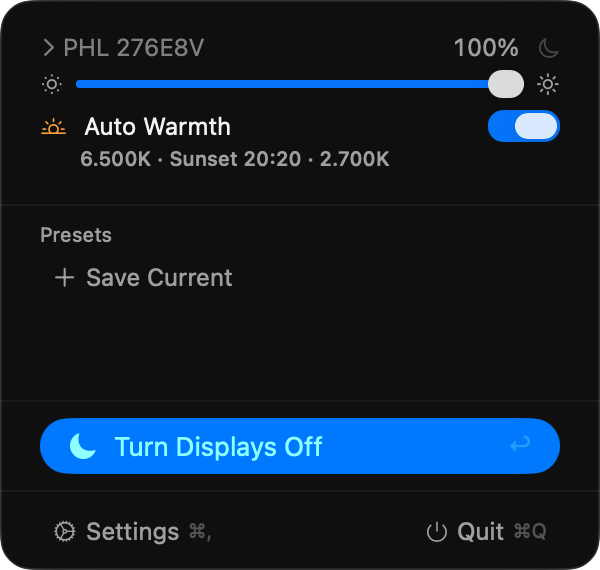
Dimmerly gives each screen its own brightness, warmth, contrast, presets, schedules, and sleep controls—without digging through monitor menus.
brew tap olujicz/dimmerly
brew install --cask dimmerlyDirect controls for the parts of a display setup that macOS and monitor buttons leave scattered.
Adjust brightness, warmth, and contrast without changing every screen at once.
DDC/CI adds brightness, contrast, volume, mute, and input switching where the display supports them.
Recall presets instead of rebuilding the same brightness and warmth settings by hand.
Use schedules, global shortcuts, desktop widgets, and Shortcuts actions.
Dimmerly has no analytics, tracking, ads, or app-managed network requests. It is open source under the MIT License.
Privacy policy